The questions your team answers twenty times a day
Every support and sales team has them. What are your business hours. Can you send me that information again. What do you need from me to get started. Agents answer these questions so often that they start typing them from memory, and that is exactly where quality slips. One agent writes a warm, complete answer. Another, in a hurry, sends two short lines that miss a detail. A third invents a slightly different version of the policy. The customer experience depends on who happened to pick up the conversation.
Canned responses in HellouOne solve that problem in the simplest possible way. They are message templates that any agent can insert with a shortcut, so the best version of each common answer lives in one place and takes seconds to use.
Source guide: Canned responses, Hellou help center (https://help.hellou.ai/hc/hellou/articles/1787341710-respuestas-predefinidas)
Create a canned response once
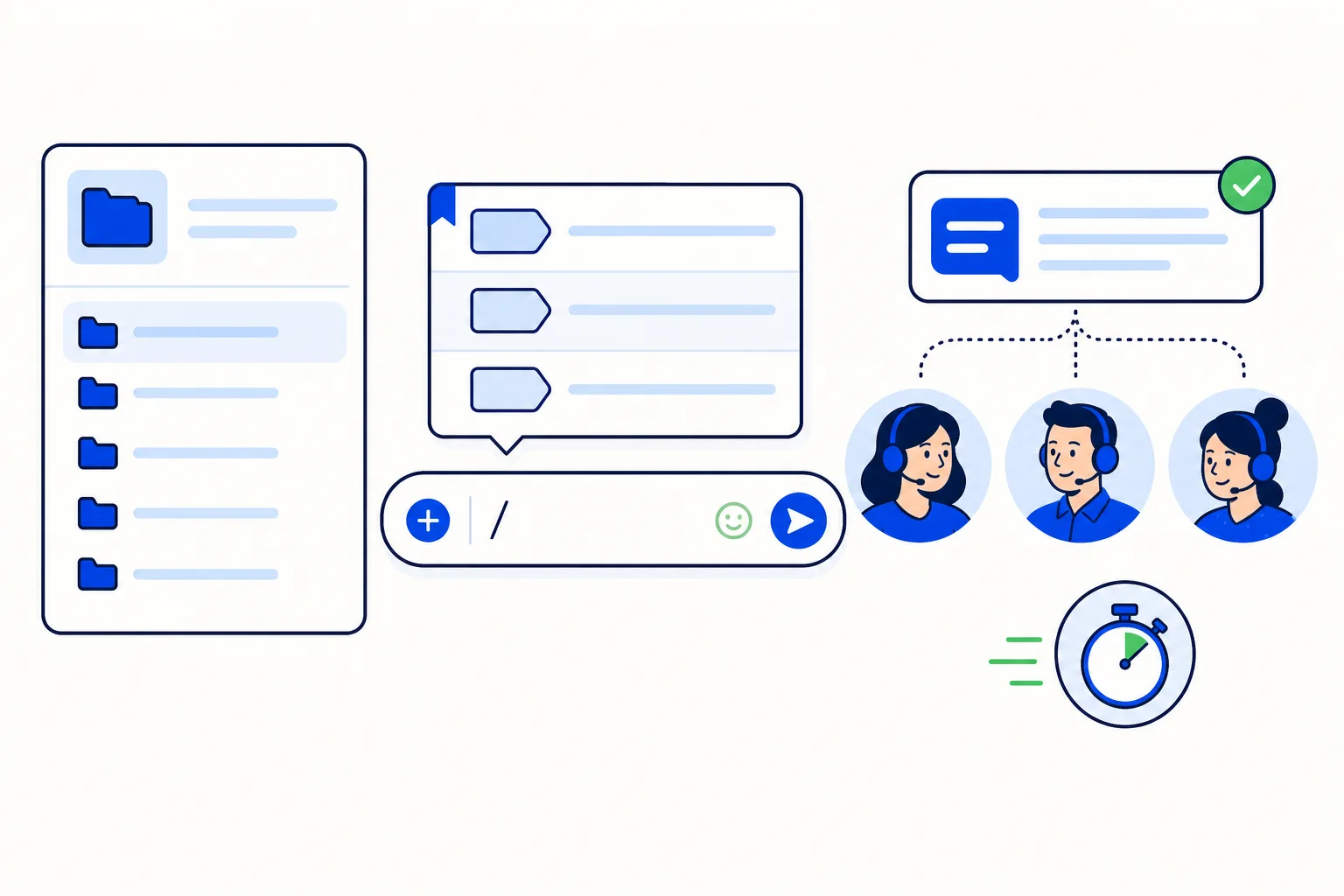
Creating one takes less than a minute. Go to Settings, then Canned Responses, and press Add canned response. Write a Short code, which is the shortcut your agents will type, for example saludo for a greeting, and then write the Message itself, the exact text you want agents to send. Press Submit, and the template is available to the whole team.
The short code deserves a little thought. Keep it short, obvious, and in the language your team thinks in. saludo, horario, datos and despedida explain themselves, and an agent who has to guess a code will stop using the feature. A small, well-named library beats a long list nobody remembers.
Use it inside any conversation
Using a canned response is even faster than creating one. In the reply editor of any conversation, type / followed by the short code, for example /saludo. A list appears so you can choose the right template, and when you select it, the text is inserted into your reply. Nothing is sent yet. The agent can edit the inserted text before sending, adding the customer name, a date, or the one detail that makes this answer specific to this person.
That edit step matters. A canned response is a starting point, not a robot script. The structure, the correct information, and the tone are already handled, and the agent adds the human touch on top. Customers get a fast answer that still sounds like it was written for them, because the last ten percent was.
Four templates to create today
The help guide suggests four ideas, and they are the right four to start with.
First, an initial greeting. It sets the tone, introduces the agent or the business, and tells the customer they are in the right place. Second, your business hours. This is one of the most asked questions on any channel, and the answer should always include what happens outside those hours. Third, a request for customer data. If your team often needs a name, an order number, or an ID to help, a template asks for everything in one message instead of three short follow-ups. Fourth, a closing farewell. It thanks the customer, confirms the issue is resolved, and leaves the door open, which is how good conversations should end.
From there, grow the library from real conversations. When an agent writes an especially good answer to a repeated question, save it. When a policy changes, update the template once and every future answer is correct. That is the quiet advantage of canned responses: they turn individual good writing into a team asset, and they make updates instant.
Consistency is a customer experience feature
Businesses often treat speed and consistency as separate goals. Canned responses deliver both at once. Replies go out faster because agents are choosing and personalizing instead of composing from a blank box. Answers stay consistent because everyone works from the same approved text, including new agents on their first day. Training gets easier too. Instead of teaching a new hire how your business answers the twenty most common questions, you show them the library and let them learn by using it.
If your team answers the same questions every day inside HellouOne, spend fifteen minutes in Settings, Canned Responses today. Create the greeting, the hours, the data request, and the farewell. Your next hundred conversations will be faster, and they will all sound like your best agent wrote them.
Read the full guide: Canned responses in the Hellou help center (https://help.hellou.ai/hc/hellou/articles/1787341710-respuestas-predefinidas)