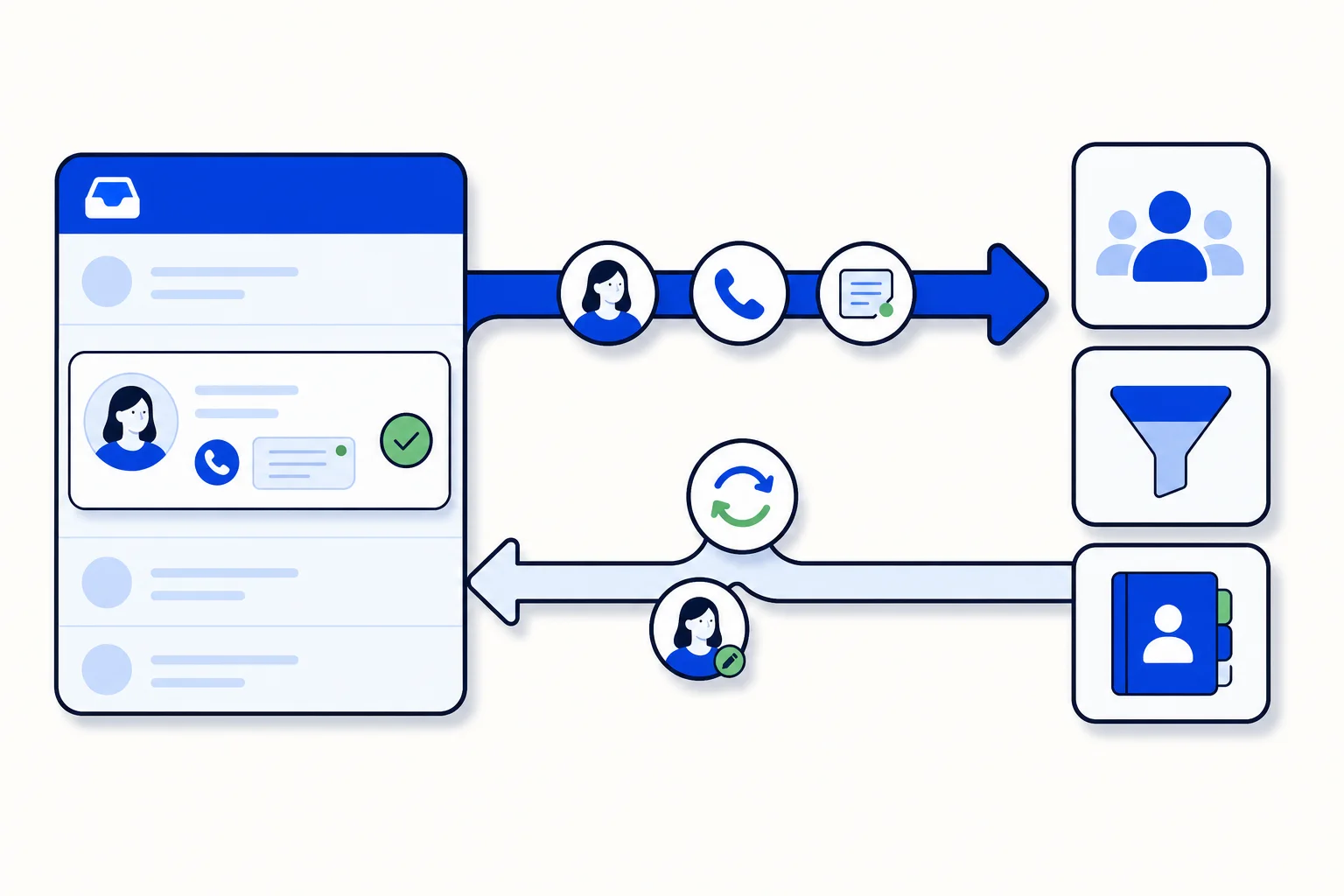
HellouOne voice campaigns already write their results back to DataCRM: dispositions, notes, callbacks and opportunities. That covers what happens after the call. This release covers the other direction, DataCRM inside the campaign itself.
There are three parts. A campaign can take its audience straight from a DataCRM segment, so nobody exports a list to call it. Agents see the customer's DataCRM card while they talk. And when a call creates a new contact, you decide which columns of your file make up its name.
Call a DataCRM segment
In the campaign wizard, the first step, Contact Base, now has a DataCRM segment option. It only appears when DataCRM is connected. Under Read records from you choose Contacts or Leads, then filter with up to 3 condition groups of 8 conditions each. You can also bring up to 12 extra fields from each record into the call.
Before the campaign can be created, you click Preview who will be called. The Segment preview runs the same checks as any other audience: invalid numbers, duplicates and the do-not-call list. Records without a phone are counted under Left out with the reason No phone number, and they are skipped at launch. If many contacts would be left out, you get the same confirmation before launching as with any other audience.
The list is read at launch and then frozen into the campaign's call list. It does not refresh while the campaign runs.
Read the segment again at launch is on by default. If the last read is more than an hour old, DataCRM is read again when you launch.
A segment can hold at most 2,000 records. A larger one is refused, not cut, with a message asking you to add a filter to narrow it.
For audiences built from HellouOne segments and labels, the audience preview works the same way inside the wizard.
The DataCRM customer card on the call
On campaign calls, the agent's dialer console now shows a card titled Customer in DataCRM. It shows, each only when it has a value:
The name, Company, Phone, Email and Assigned to.
Up to 5 Open opportunities.
The last 3 activities, under Last activities.
Up to 6 extra Contacts fields you choose per campaign, with Fields on the customer card in the wizard's Results in DataCRM section. An empty one shows Not set.
The card is read-only, and an Open in DataCRM link opens the record in a new tab. That link is not there for Leads records. The card says how fresh the data is, for example Updated 4 min ago, because DataCRM data is kept for 10 minutes before it is read again. If the number is not in DataCRM, the card says We couldn't find this number in DataCRM, and nothing is created there. If DataCRM cannot be read at that moment, the card simply does not appear.
On a campaign call only the assigned agent and administrators see the card. It also appears in the incoming call popup when the agent works a running inbound campaign, the caller matches a HellouOne contact and the agent's phone extension is mapped. It does not show on every call with a DataCRM match, and it is not part of the live monitor. AI campaigns can use the same DataCRM data through variables, but there is no card on screen for them.
Name the contacts a call creates
When you upload a contacts file, Contact name in DataCRM, in the wizard's Results in DataCRM section and in the campaign settings, lets you pick 1 to 3 columns of the file. They are joined with a space in the order you pick them, for example first name and then last name. With no columns chosen, the contact's own name or the file's name column is used.
That name is used when a call creates a new DataCRM contact, which needs the integration's switch for creating contacts from calls, and for a new HellouOne contact created by an AI outbound call. Existing DataCRM records are never renamed. It needs a contacts file, so it does not apply to a DataCRM segment audience.
What you need
The CRM integration with DataCRM, in Settings, Integrations, CRM. CRM integrations are on every plan.
Voice campaigns, which come with the Contact Center and are sold with voice.
An administrator to set up the campaign. The card is then visible to the agent on the call.
The customer card works without the switch that writes campaign results to DataCRM, so you can use one without the other.
How this works with HellouOne
HellouOne runs your phone lines, your AI voice agents and your agents' dialer in one place, and DataCRM now sits on both sides of each campaign. The segment decides who is called, the card gives the agent context while the customer is on the line, and write-back sends the result to the record afterwards. Other CRMs connect through the same integrations, and the live monitor shows how the campaign is going.
A good first test: build a small DataCRM segment, preview it, add two or three fields your agents always look up to the customer card, and run a short campaign. Your agents will tell you quickly whether the card saves them from switching tabs.