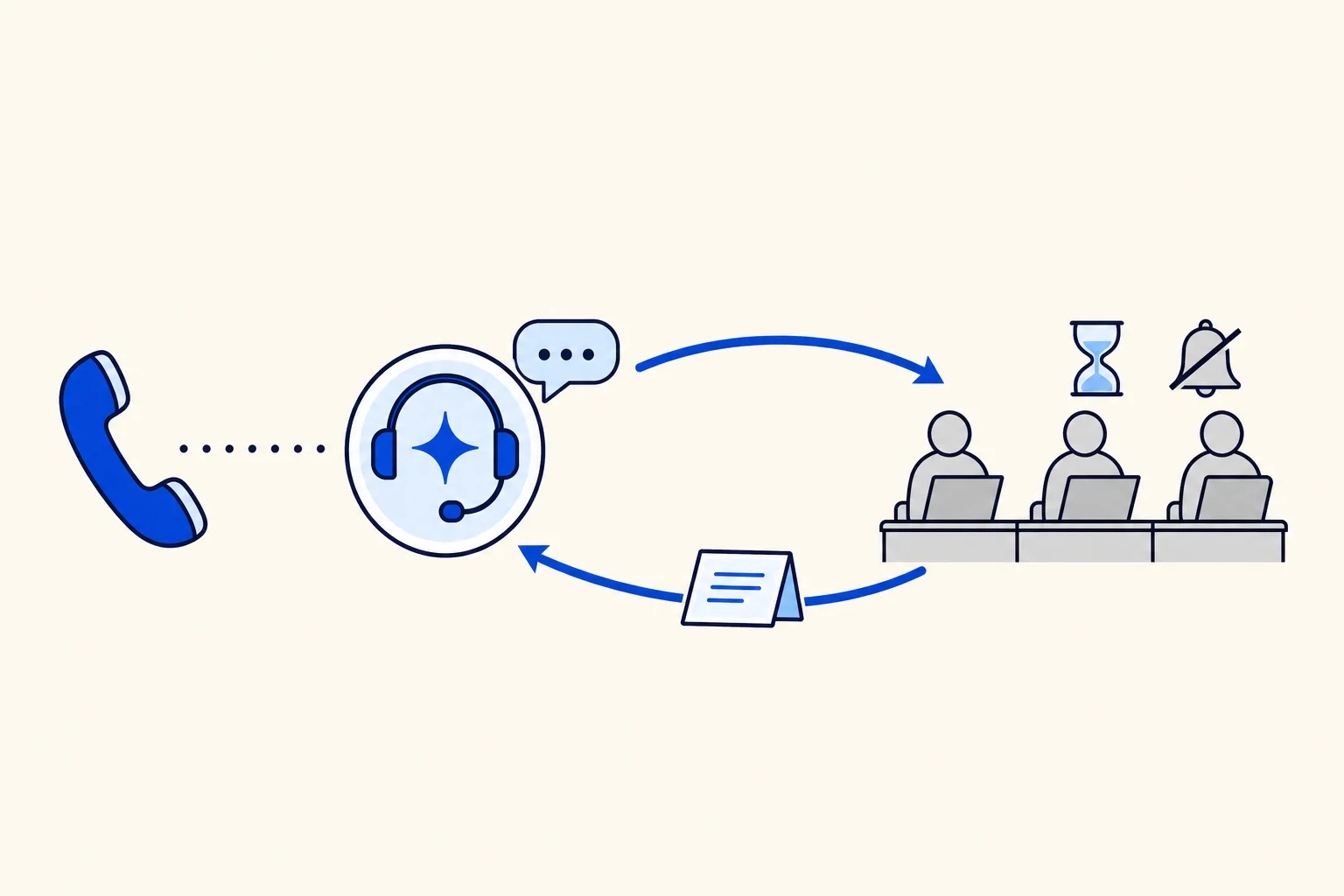
Every phone team knows this moment. The AI agent has understood the problem, it says it will put the caller through to a person, and then nobody picks up. Maybe the advisors are on other calls, maybe nobody is signed in yet, maybe the ring group simply rings out. Until now that could end with silence or a dropped call, right after the customer was promised help.
HellouOne AI voice agents can now take the call back. When nobody on your team can take a transfer, or the caller has waited too long on hold, the call can return to the AI agent instead of ending. Your phone line's settings decide when that happens. The caller hears a short explanation and the conversation simply continues.
What the caller hears
When the call comes back, the AI agent says: "All our advisors are busy at the moment. I am still here to help you." If your phone system already played its own busy message, the agent skips the first part and only says "I am still here to help you.", so the caller does not hear the same news twice.
Then the AI agent carries on from where the call was. It reads the earlier part of the call, so it already knows the caller's name, the problem and anything it had collected before the transfer. The caller does not have to start again or repeat their account number to a voice that just told them it was passing them on.
No transfer loop
A busy team will not become free a few seconds later, so the AI agent does not offer the same route again in that call. The route that was already tried is treated as having nobody free. That avoids the worst version of a failed transfer: a caller bounced between the AI agent and an empty queue until they give up.
The AI agent can still do everything else it normally does on a call: answer questions from its knowledge, collect the details of the case, and use its other tools.
When the call comes back: your line decides
When a caller is sent back to the AI agent is set per phone line, in the line's phone settings. There are two situations:
Right away, when nobody in the transfer group is online, so the caller does not wait for a ring that cannot be answered.
After a hold timeout, when the caller has been waiting on hold for longer than the time set for that line.
The hold time is a setting of each line, not a fixed rule, and not every line sends callers back automatically. It happens on the lines that are configured for it. To set it up on your lines, or to change the hold time, talk to the Hellou team.
What still happens after the call
A returned call is still a normal AI call: the AI agent keeps collecting the details of the case while it talks. That matters most on exactly these calls, because the customer did not reach a person and your team will want the case written down.
If you have not set up the follow-up yet, see WhatsApp follow-up after an AI call. It turns a promise on the phone into a written next step the customer keeps.
How it shows in your reports
The transfer attempt is not hidden. The call keeps its full record, with the transcript of the first part and of the part after the AI agent took it back. If you see many of these on one area, that is a staffing or schedule signal, not an AI problem: the AI agent did its part and your team was not there to take the call.
The call itself, with its transcript and the legs of the call, is in AI calls under the voice menu. Our guide to call history and the live call center panel shows where to look.
Who this helps most
Contact centers with only a few people online feel the difference first. Think of an emergency or service line that takes reports at any hour: at night one advisor may cover the whole queue, and a single long call is enough to leave the next caller unanswered. With the call coming back to the AI agent, that caller still gets help, the case is recorded, and nobody hears a dial tone after being told they would be connected.
Small sales teams benefit too. A lead who calls during lunch reaches the AI agent, asks for a person, and if nobody answers, the AI agent keeps the conversation going, collects what your team needs and offers the WhatsApp follow-up instead of losing the lead.
How this works in HellouOne
Transfers are set on the AI agent's areas, in the transfer and schedule tab, as explained in your AI agent on the phone. Each area can send calls to an extension, a ring group, an external number or the agents' softphone, with an optional fallback destination and ring time. A fallback is still your first line of defense: if it answers, the caller reaches a person. Taking the call back is the safety net when nobody does.
Taking the call back works on every voice engine HellouOne offers and on any account with AI lines. A few practical steps:
Give each area a fallback destination where it makes sense, so a busy group can still reach someone.
Make sure the area's schedule matches when people are really available. Outside the schedule, the AI agent keeps the caller and logs the case.
Set post-call goals and collected data, so returned calls produce a usable record.
Ask the Hellou team to set when each line sends callers back: right away when nobody is online, after a hold time, or both.
Check the AI calls report weekly for failed transfers by area.
This builds on the other ways calls move in HellouOne: an AI agent can hand a live call to another AI agent, and one transcript covers the whole call after a transfer. Learn more about AI voice agents in HellouOne.