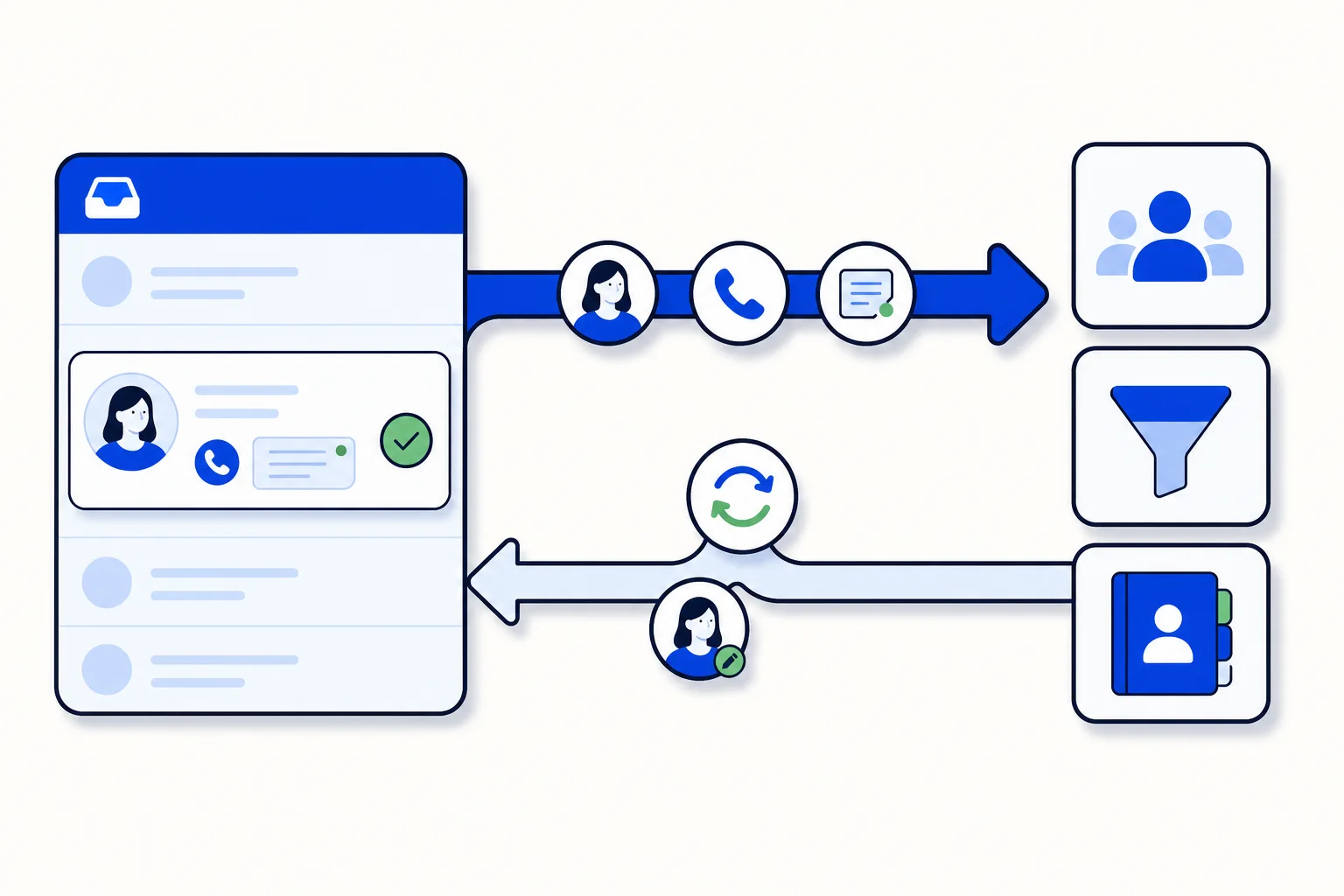
Sales teams live in the CRM. Support and front-desk teams live in the inbox. For years the gap between the two has been filled by copy and paste, end-of-day exports, and a vague sense that the pipeline is never quite up to date. HellouOne's new native CRM integrations close that gap for the three CRMs most of our customers use: GoHighLevel, HubSpot and Pipedrive. Contacts, calls and resolved conversations flow from HellouOne into the CRM on their own, and contact changes made in the CRM come back.
What syncs, in which direction
The integration runs in the background for the whole account, separate from the AI agent connectors. It is worth being precise about what moves and which way:
HellouOne to CRM, automatic: new contacts, calls, and resolved conversations. Conversations are written to the contact as notes, so a sales rep opening the CRM sees what was discussed on WhatsApp or chat without opening HellouOne.
Calls are logged as call records in HubSpot and Pipedrive, and as notes in GoHighLevel.
CRM to HellouOne: contact creates and edits. Fix a phone number or rename a contact in the CRM and the inbox picks it up. This direction covers contact data; it does not pull CRM notes or deals into HellouOne.
Nothing is ever deleted in the CRM by HellouOne. Deleting a contact in the inbox leaves the CRM record alone.
Existing contacts are not pushed on their own. The admin decides when to run Sync existing contacts, so a long-standing account does not flood the CRM with history before the team is ready.
Setting it up
The CRM card now appears on every chat, AI and phone-system plan, from Starter up, and the integration is switched on by default for those accounts; only reporting-only accounts are excluded. Connecting a CRM is a matter of opening the card, choosing the CRM and authorising it. For the return direction, Pipedrive registers its webhook with HellouOne automatically. For GoHighLevel and HubSpot, the customer creates the webhook inside the CRM following the steps shown on the page, which takes a few minutes and is documented in the help center in Spanish and English. If a CRM rejects HellouOne's credentials three times in a row, the integration pauses and emails the admins rather than retrying silently; reconnecting from the card resumes it.
Phone-system plans are included too: dialer customers see the CRM card and their finished calls log to the CRM like any other call.
Why two-way sync matters for sales teams
A lead that writes on WhatsApp at 9 pm and is answered by the AI agent becomes a contact in the CRM before the sales team starts the next morning, with the conversation attached as a note. The rep does not ask what the lead wanted; it is in the record. When the rep updates the contact in the CRM, the correction is in the inbox too, so the next message from the lead goes to a contact with the right name and number. Calls made through HellouOne land in the CRM as call activity, which keeps pipeline reports honest without anyone logging calls by hand.
Why it matters for support teams
Support benefits from the opposite flow. When a conversation is resolved in the inbox, the resolution reaches the CRM as a note, so account managers and sales reps see support history next to deals. A customer who complained last week is not sold to as if nothing happened. And because contact edits flow back, a support agent who corrects a detail in the CRM does not create a duplicate in HellouOne.
How to use it in HellouOne
Open the CRM card in your account settings and connect your CRM. If you use GoHighLevel or HubSpot, complete the webhook step in the CRM so edits come back; Pipedrive handles it for you. Decide whether to run Sync existing contacts right away or after cleaning up the contact list. Then watch the first few days of activity in the CRM: new contacts, call records and resolution notes should appear as conversations happen. The help center has a step-by-step article for each CRM, and LIA can walk you through the card in the admin.