
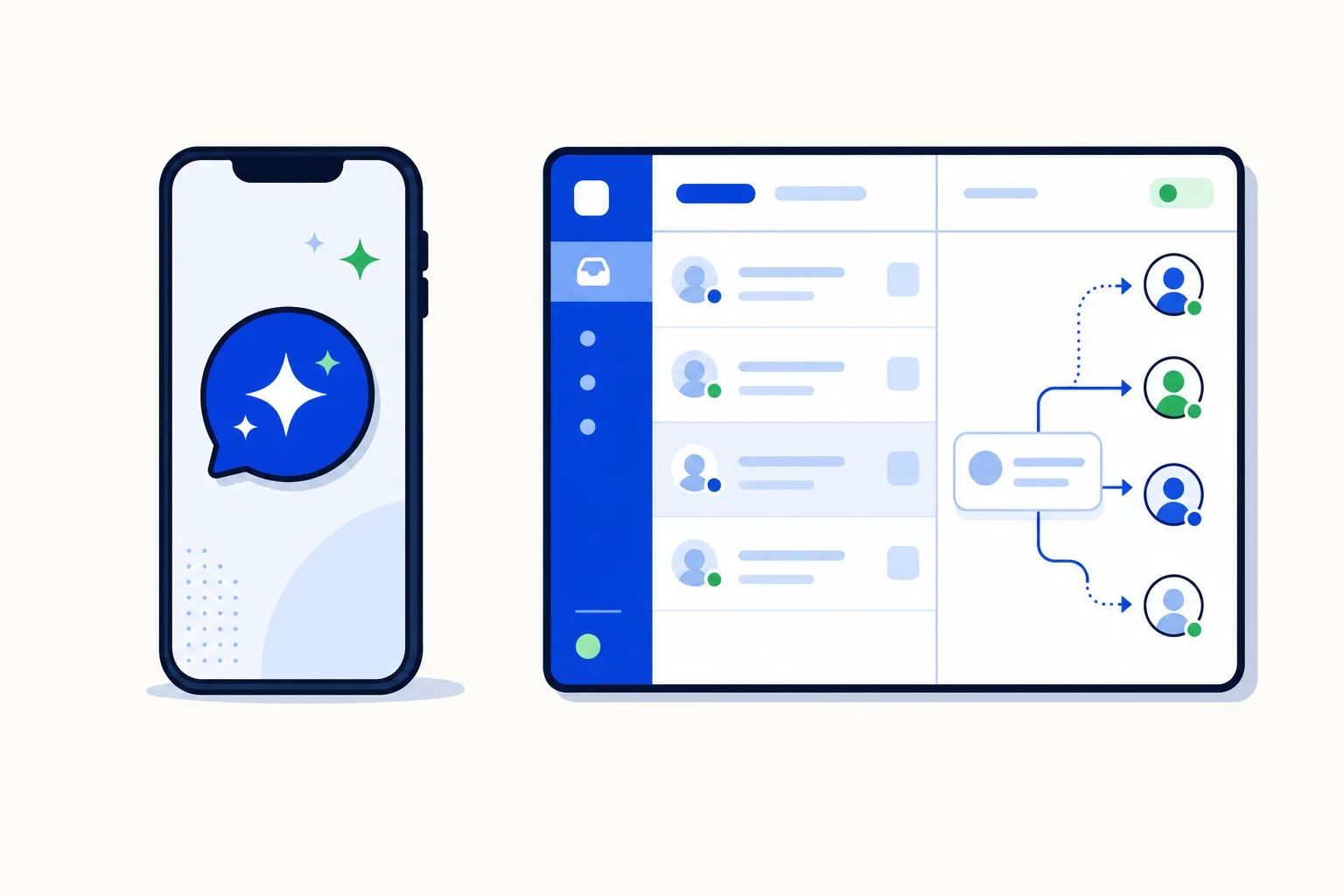
On June 3, 2026 Meta made its Business Agent available to businesses worldwide on WhatsApp, Messenger and Instagram. It is an AI assistant built directly into the WhatsApp Business app, and for many small businesses it will be the first AI they put in front of a customer.
This is a platform explainer, not a review: what it is, what it does well, where it stops, and what to do when your team outgrows it.
What is the Meta Business Agent?
The Business Agent is an AI assistant that Meta runs for you inside the WhatsApp Business app and Meta Business Suite. You turn it on from the app, and it starts answering customers on your business number.
It learns from material Meta already has about your business, plus whatever you add:
your Facebook Page;
your past chats, which show it how you usually answer;
your website, if you connect one;
your catalog, so it can talk about specific products;
documents and answers you provide directly.
Primary source: Business Agent on whatsappbusiness.com; the global launch was covered by PPC Land.
On pricing, it is free to get started, and Meta has said access will move into paid subscription tiers. The tiers are not published as of this writing, so treat "free" as an introductory state, not a permanent one.
Who is it for?
The Business Agent is designed for the business that already lives inside the WhatsApp Business app: one phone, one person (or one shared handset) answering everything. A hair salon, a small restaurant, an independent real-estate agent, a repair shop. For them, the alternative is not a platform; it is answering every message by hand, often at night.
If that is you, the Business Agent is a sensible first step. It costs nothing to try, it lives where you already work, and it takes the repetitive questions off your plate.
What does it do well?
Within the one-phone model, the Business Agent covers the everyday questions that make up most of a small business's inbound traffic:
Basic questions. Opening hours, location, delivery areas, return policy, "do you have this in blue". It answers from your Page, your website and your past chats.
Product recommendations. With a catalog connected, it can suggest products and point to the right item.
Appointment booking. It can take bookings for service businesses.
Lead qualification. It asks a new contact the first questions and collects what you need to follow up.
Controlled handover. You customize when the AI transfers chats to you by flagging topics to avoid and by stepping in manually. If a customer raises a topic you marked as off-limits, the AI stops and the chat is yours.
Where does it stop? The one-phone model
Everything above works because there is exactly one place for a conversation to go: the phone. When the Business Agent transfers a chat, it transfers it to whoever holds the business handset. That is the whole handoff model, and it is where a team feels the limits.
There is no team layer behind it:
no routing to a sales team or a support team;
no assignment of a conversation to a specific person;
no visibility rules, so whoever has the phone sees everything;
no private notes between colleagues inside a chat;
no reports on who answered what, or how fast.
Three everyday situations:
Two salespeople. A furniture store has two sellers and one WhatsApp Business number. The Business Agent qualifies a lead and hands it over. To whom? To the phone. One seller has it; the other does not know the lead exists. Ownership ends up in forwarded screenshots or a spreadsheet.
A support shift. A delivery business answers from 7 am to 10 pm on two rotating shifts; at 3 pm the phone changes hands. A customer writes back at 6 pm about a morning case: there are no notes about what was promised, and no way to see that the courier was already called.
A complaint that needs a manager. A customer is angry about a double charge. The Business Agent correctly stops, because billing disputes are on the avoid list. The chat now sits on the phone. The person holding it may not have the authority to refund, and there is no way to assign the chat to the manager, leave a note, or see later how long the customer waited.
None of these are failures of the Business Agent. They are the limits of a model whose only destination is a phone. The pillar guide on hellou.ai, WhatsApp AI agent for small business, puts it the same way: the handoff is a flag on a chat, not a workflow.
What does WhatsApp's 2026 AI policy allow?
Since January 15, 2026 WhatsApp no longer permits general-purpose AI assistants to use the platform as a distribution channel. The policy targets assistants that exist to chat about anything with anyone; respond.io summarises the change in its piece on the WhatsApp general-purpose AI assistant ban.
What stays allowed is AI that serves a business's own customers: support, bookings, order tracking, notifications and sales. The Business Agent falls in that category, and so does an AI agent a business runs on the WhatsApp Business API. The policy is not a reason to avoid AI on WhatsApp, only a reason to keep it focused on your own customers.
What does a growing team need instead?
When the second person joins, the question changes from "can an AI answer for me?" to "can an AI answer for us, and then hand the chat to the right one of us?". That second half is what the WhatsApp Business API plus a team inbox adds:
An AI agent on the API. Same job as the Business Agent on the customer's side: answers, recommends, books, qualifies. The difference is where the handoff goes.
Handover areas that route to teams. Instead of "transfer to the phone", the rule reads "billing disputes go to support; qualified leads above this budget go to sales". The chat lands with a group, not a device.
Assignment rules that give it an owner. Round-robin or priority rules pick a person from that team. The furniture store's lead now has a named seller, and the other seller knows it is taken.
Full history. Whoever picks up the chat sees everything the AI agent said and everything the previous shift did, including private notes the customer never sees.
Reports. How many conversations the AI agent closed alone, how many it handed over, who answered them and how fast.
If the problem is "I cannot keep up with messages", the Business Agent solves it. If the problem is "nobody knows who owns what", the answer is an AI agent with a team behind it. The WhatsApp team inbox guide covers the inbox side in detail.
Can you use both?
Yes, and usually in that order.
Start with the Business Agent while the business is one phone. It is free to try, and it tells you quickly which questions your customers actually ask.
When the team grows, move the number to the WhatsApp Business API. You keep your number; customers keep writing to the same contact. And you do not have to switch overnight: WhatsApp's coexistence feature lets the Business app and an API-based inbox share the same number, so the team migrates gradually while the phone keeps working. The post on WhatsApp coexistence shows what that looks like day to day.
The rule of thumb: the Business Agent is for when the chat can end on a phone. The API is for when the chat needs to end with a person your rules chose.
How this works in HellouOne
HellouOne is an AI agent and team inbox on the WhatsApp Business API, built for the second case: several people and an AI agent sharing one number.
The AI agent takes the first turn. It answers from your business information, recommends products, books appointments through connectors such as Calendly, and qualifies leads.
Handover areas replace "transfer to the phone". You describe in plain words when the AI agent should step aside and which team takes over: complaints to support, qualified leads to sales, refunds to a manager. The post on AI-to-human handoff rules lists the triggers that work in practice, and the Human + AI solution page shows how the two sit side by side.
Assignment rules give every chat an owner. Round-robin or priority assignment picks a person inside the team the handover area chose.
Five visibility levels decide who sees what: only their own conversations, their teams', unassigned ones, everything in their inboxes, or everything in the account.
Private notes and @mentions live inside the conversation, invisible to the customer, so the evening shift knows what the morning shift promised.
Reports show the AI agent's share of the work next to each agent's and team's: handled, handed over, response times.
Coexistence is supported. The WhatsApp Business app and the HellouOne inbox can work on the same number, so you keep the app while the team moves over at its own pace.
Starter is $49 a month with 2,000 AI messages included; the 7-day free trial needs no card. Meta's own messaging fees are passed through at 0% markup.
Where does this leave you?
If you run your business from one phone, turn on the Business Agent, mark the topics it should avoid, and step in when it stops. If there is more than one of you, or there soon will be, what you are missing is not a smarter AI. It is a place for the chat to land after the AI is done: a team, a person, a note, a report. That is what an AI agent on the API with a team inbox adds, and coexistence means you keep the app meanwhile.























