
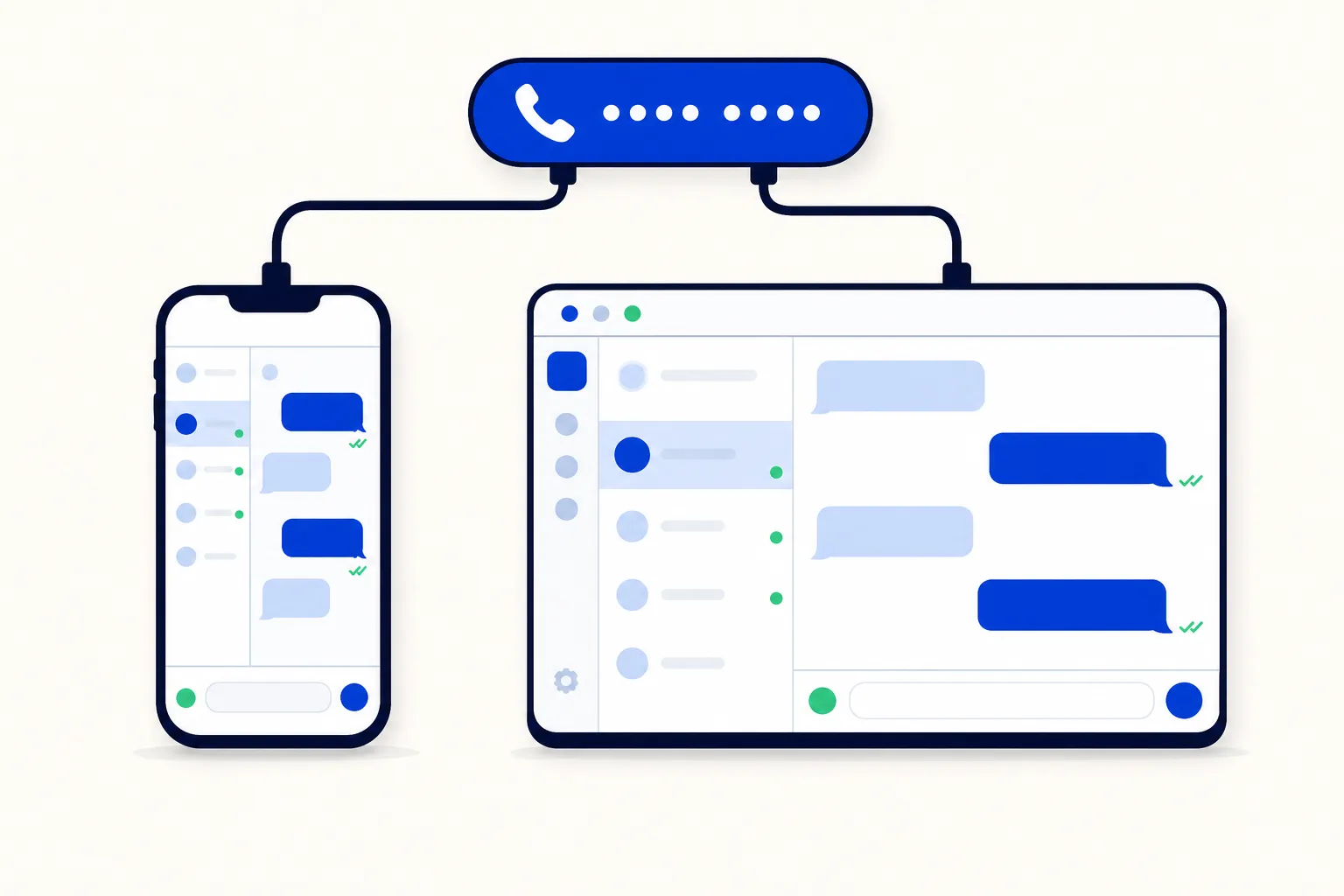
For years, connecting a WhatsApp Business number to the API meant a hard cut. The moment the number joined a platform, the app on the owner's phone stopped working, and the whole team had to move the same day. That is why so many small businesses stayed on the app far longer than they should have: the migration felt like a cliff.
Coexistence removes the cliff. The number stays in the WhatsApp Business app and, at the same time, becomes available to the WhatsApp Business Platform, so an inbox and an AI agent can work on it too. Here is what that means in practice, who it is for, and how to use it for a migration in phases.
What is WhatsApp coexistence?
Coexistence is Meta's option for a phone number that is already active in the WhatsApp Business app to also be connected to the WhatsApp Business Platform (the API). After onboarding, the number keeps working in the app on the phone, and it is also reachable by whatever platform you connected: a team inbox, an AI agent, a CRM.
The practical result is one number with two front doors:
The owner keeps the app on their phone and keeps answering from it as before.
The team and the AI agent answer from the inbox on the platform side.
Customers notice nothing. They write to the same contact and see the same business profile.
Meta documents the feature and its onboarding in the WhatsApp Business Platform documentation. Eligibility, what syncs to the platform and any limits are defined by Meta and have changed since launch, so check Meta's current requirements before you plan around a specific behaviour. The one thing you can rely on is the core promise: the number stays in the app and is also available to the platform.
Coexistence is not a second number (there is still one business number and one profile), and it is not the app's linked-devices feature: linked devices share the app between a few phones, while coexistence connects the number to the API, which is what gives you team routing, an AI agent and reporting.
Why does coexistence matter for a small team?
Because it turns a one-day migration into a decision you can make gradually, with the business still running.
No big-bang migration. Nobody has to learn a new tool on a Monday morning while customers wait.
The owner keeps the familiar experience. Many founders answer from the phone between meetings; with coexistence they keep doing that.
It is a safe way to try the API. Connect an inbox, let an AI agent handle the first replies, and judge the result against real traffic instead of a demo.
The AI agent can start before the team moves. If the goal is faster first responses, the AI agent can be live on the number in the first week while the humans keep working exactly as they did.
Who is coexistence for?
It suits two situations especially well.
A solo founder adding a first teammate or an AI agent. The founder keeps the app. The new teammate works from the inbox with their own login, and the AI agent takes the repetitive questions.
A team migrating in phases. Three or four people currently share a phone or use linked devices. Coexistence lets you move them to the inbox one at a time, with the app still working as a fallback while everyone learns the new way.
When is a full migration the better choice? When the app has become the problem rather than the comfort:
A larger team, where "who answers this?" has to be decided by rules, not by whoever sees the message first.
Strict assignment, visibility or compliance needs, where you do not want a parallel channel that bypasses them.
Reporting. If you need response times, volume per agent and sentiment across every conversation, every conversation has to flow through the inbox.
In those cases coexistence is still a useful first step, but the end state should be the inbox alone. The move itself is covered in Move your WhatsApp Business number to the API and keep it.
What should you expect day to day?
Running two front doors on one number needs a few agreements. These are the ones that save the most friction.
Conversations show up in both places. A customer message reaches the app on the phone and the inbox on the platform. Treat that as a feature, and plan for it.
Agree who answers what. The simplest split is by topic: the AI agent and the team take new enquiries, orders and support from the inbox; the owner uses the app for the handful of relationships they want to keep personal.
Use assignment rules and handover areas to avoid double replies. In the inbox, every conversation should have one owner. Round-robin or priority assignment decides which human gets it, and the handover area defines where the AI agent stops and a person continues. Double replies almost always come from conversations that had no owner.
Platform-sent messages follow platform rules. A reply sent from the inbox is a platform message, so the 24-hour customer service window applies, and anything sent outside that window has to be an approved template. The app on the phone keeps its own behaviour.
Meta's per-message fees apply to platform messages. Since October 1, 2026, free-form replies inside the 24-hour window are billed per message after the first 1,000 per phone number per month, and template messages are priced by country and category. The details are in Meta's pricing documentation; what it means for a service-heavy team is in WhatsApp service messages are now paid.
Do not assume everything syncs. What the platform can see of past chats, labels or app-side replies is defined by Meta. Check Meta's current requirements.
How do you migrate in phases?
A three-week plan that works for teams of two to six people. Adjust the dates, keep the order.
Week 1: the inbox for the AI agent only
Connect the number with coexistence. The app keeps working.
Set up one AI agent with the ten or fifteen questions the business answers every day: hours, prices, availability, order status, how to book.
Define the handover area: when the AI agent cannot answer, or the customer asks for a person, the conversation goes to the owner, who answers from the app or the inbox.
Measure first-response time before and after. This is the week you learn whether the API is worth it for you.
Week 2: invite the team
Add each teammate to the inbox with their own login and a visibility level that fits their role.
Turn on assignment rules so new conversations land on one person. Decide round-robin for support and priority for sales, or the other way round, and write the rule down.
Move canned responses out of people's heads and into the inbox so the answers are consistent whoever picks up.
Keep the app on the owner's phone as the fallback.
Week 3: retire the app, or keep it on purpose
If reporting and assignment are what you were after, point everyone to the inbox and stop answering from the app. The number does not change; only the place where replies come from.
If the owner wants to keep the app for a few personal relationships, keep coexistence and make the split explicit: those contacts are the owner's; everything else is handled in the inbox.
How this works in HellouOne
HellouOne supports coexistence, so the WhatsApp Business app and the HellouOne inbox work on the same number and a team can migrate gradually instead of all at once.
Connect the number without leaving the app. LIA, HellouOne's setup assistant, walks you through connecting the number to the platform; the app on the phone keeps working throughout. The steps are in how it works.
AI agents first. Put an AI agent on the number from day one, trained on your own business information, with a handover area that sends the conversation to a person when it should. What an AI agent can take over is in the WhatsApp AI agent guide.
Assignment rules. Round-robin and priority rules make sure each inbox conversation has exactly one owner, the single most effective protection against double replies while the app is still active.
Visibility levels. Five levels decide who sees which conversations, so a new teammate sees their own queue and a manager sees everything.
Shared tools from week two. Private notes and @mentions, canned responses, automations and macros, and reports per agent, team and conversation, all explained in the WhatsApp team inbox guide.
Meta's fees pass through at 0% markup. You pay HellouOne's plan and Meta's per-message fees as Meta bills them, nothing on top.
The 7-day free trial needs no card and includes 2 agents, 2 inboxes and 100 conversations, enough to run week one of the plan above on your real number. If you are weighing coexistence against a full move, WhatsApp Business app vs API: what a growing team needs and How to put multiple users on one WhatsApp Business number cover the two sides of that decision.























