
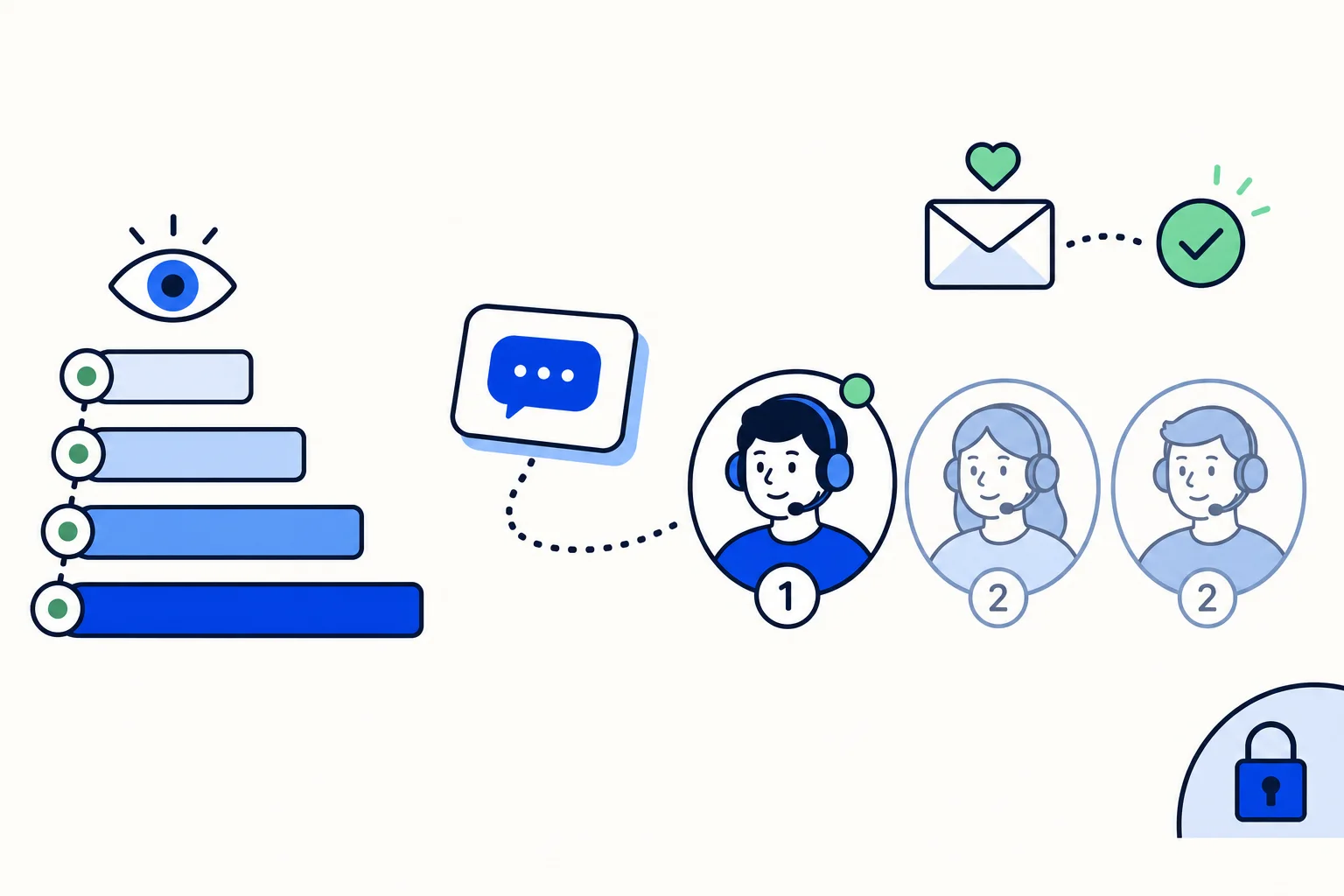
Four sales reps share one WhatsApp Business number. Whoever sees a new lead first taps "assign to me". By Friday one rep has 60 conversations, another has 14, and nobody can say who owns the lead that went quiet after the quote.
Splitting chats fairly means every lead has exactly one owner, from the first message to the close, and the manager can prove it. This guide covers the four ways to assign WhatsApp chats to team members, when each one works, and the rules worth writing down.
Why does splitting chats by hand go wrong?
When assignment is left to the team, four things happen:
Cherry-picking. Reps take the leads that look ready to buy and leave the "just asking" ones unassigned. A slow lead is still a lead.
The fastest thumb wins. Whoever is on their phone at 11 p.m. takes everything, so volume follows attention rather than capacity.
The quiet rep starves. Someone who was on a call ends the week with a fraction of the pipeline.
Nobody owns the follow-up. A lead that two people replied to belongs to neither.
In every case a person decides after the message arrives. The fix is to decide the rule once and let the inbox apply it.
What are the four fair ways to split WhatsApp chats?
Round robin: rotate evenly among available people
The next conversation goes to the next person in line. Over a week everyone receives roughly the same number of new conversations. It is the fairest method by count and the easiest to explain: nobody chose, the rotation did.
It works when the reps are interchangeable: same products, same territory, similar skill. When one rep sells enterprise plans and another sells accessories, the same number of chats is not the same amount of work; split into teams first and run round robin inside each team.
Priority order: who gets it first
Instead of rotating, you rank people. The person at priority 1 receives every new conversation while they are online; priority 2 only receives conversations when nobody at priority 1 is available.
Use it when one person should be the first contact: the senior closer for a product line, the rep who speaks the customer's language. The others become a bench. The risk: if the priority-1 person never goes offline, nobody else ever sees a lead.
By team or topic, through handover areas
An AI agent can hold the first exchange and qualify. When the conversation needs a human, the agent hands it to a handover area, which is a team, not a person. Pricing questions go to Sales, "where is my order" goes to Fulfilment. The team's own rule, round robin or priority, then picks the individual.
This is the method that scales, because it separates which team (decided by the content of the conversation) from which person (decided by availability and load). It also answers a platform requirement: WhatsApp's business policy requires automated flows to offer prompt, clear and direct escalation paths to a human, and a handover area that lands in a staffed team is exactly that path. The handoff rules post covers the triggers.
Manual assignment by a supervisor
A sales manager assigns each conversation by hand from the unassigned view, or reassigns what the rule got wrong. It is the least scalable method and sometimes the right one: a two-person team, or a high-ticket product where the manager wants to match customer and rep. If a supervisor is assigning more than a handful a day, that effort should become a rule.
Why only assign to people who are online?
Any automatic rule needs one more switch: skip people who are offline or marked busy. Without it, round robin hands a lead to the rep who is on holiday, and the customer waits two days. The lead-response study by Oldroyd found that the odds of contacting a lead drop sharply between a reply within 5 minutes and one within 30. A conversation parked on an absent rep costs the deal.
The rule needs a safety net: if nobody eligible is online, the conversation should still land on someone, because a late-night message assigned to nobody is the one nobody finds in the morning. And it needs status habits: reps mark themselves busy in meetings and offline when they finish.
Who should see which conversations?
If everyone can open every conversation, cherry-picking comes back: a rep spots a hot lead assigned to a colleague and "helps". Visibility levels fix this. HellouOne has five, and each level includes the previous one:
Only their own conversations: the ones assigned to them and the ones they take part in.
Their own and their teams': plus anything assigned to a team they belong to.
Their own, their teams' and unassigned: plus conversations in their inboxes that nobody has taken yet. This level is what gives an agent the Unassigned tab.
Everything in their inboxes: every conversation in the inboxes they are a member of.
Everything in the account: all conversations and inboxes, like an administrator.
For a sales team, level 1 is usually right for reps: each person sees their own pipeline and nothing else, so the only way to get a conversation is through the rule. The manager, as an administrator, always sees everything. The WhatsApp team inbox guide walks a first-time team through these levels.
What happens when a chat needs to move?
Rules get things wrong and people go on leave. Reassignment should be a two-second action, and the full history should travel with the conversation: every message, the private notes, the labels.
Two transfers deserve explicit handling. A rep leaving the company: their open conversations are reassigned in bulk and, because the number belongs to the business, the history stays, as the post on chats when an employee leaves explains. And a conversation changing team: a lead that turned out to be a support question moves to the support team through the same handover, with a private note saying why.
What do you do with silent conversations?
A lead asks for a price, says "let me check" and disappears. The practical rule is an inactivity window: conversations still handled by the AI agent close automatically after a period of silence, anywhere up to 7 days, set per agent. Two to three days is a sensible start for quotes and B2B sales. If the customer writes after the close, the message reopens the conversation with its full history attached.
Once a conversation has been handed to a person, the rep closes it when the deal is won, lost or parked. The auto-close post suggests windows by type of business.
Which rules should you write down?
Four rules, one sentence each, posted where the team can see them:
Ownership: the assigned rep owns the conversation until it is closed or explicitly transferred.
Response time: a first reply within X minutes during business hours. Pick X from your reports, not from a wish list.
When a chat moves team: the two or three triggers (a support question, a request outside the rep's territory) and who makes the call.
What "closed" means: won, lost, or no reply after N days. A closed conversation is not a lost customer; it is a clean queue.
How do you measure fairness and speed?
A rule is only fair if the numbers say so. Three reports:
Agent report: conversations per rep for the period, with first response time and resolution time. If one person carries far more than their share, the rule or the status habits need a look.
Team report: the same metrics per team, which shows whether the handover areas send conversations to the right place.
Conversation report: day-by-day volume, first response time, resolution time and customer waiting time. Switch on Business hours before comparing weeks, so a night-time message does not count as a delay.
Check the Unattended view too. If it stays empty for a week after you change the rules, the rules are working.
One detail protects these numbers. When a customer writes only "thanks" or "done" after the conversation was resolved, it should stay resolved: no reopening, no new conversation, no reply. Otherwise every polite customer reopens a ticket.
How this works in HellouOne
Everything above is configured in HellouOne under Settings, Assignment, by an administrator:
Round robin is the default: everyone starts at priority 1 and takes turns.
Priority order is set per inbox, per team, or for one team in one specific inbox.
Assign only to agents who are online skips busy and offline reps, and still assigns the conversation to someone in the group if nobody eligible is online. Administrators are never assigned automatically.
The five visibility levels are the ones listed above; pick the lowest that works.
Handover areas let an AI agent pass a conversation to a team, and the team's own rule picks the person. The agent's inactivity window, from one minute up to 7 days, closes the silent conversations it is still handling.
Reports by agent, team and conversation, and the thank-you rule (1 to 168 hours after resolving), are part of the same account.
The Team plan at $190 per month includes 3 human agents; Growth at $490 includes 6. The settings are described step by step in the assignment rules post; the features tour and the sales page show the rest of the inbox.























