
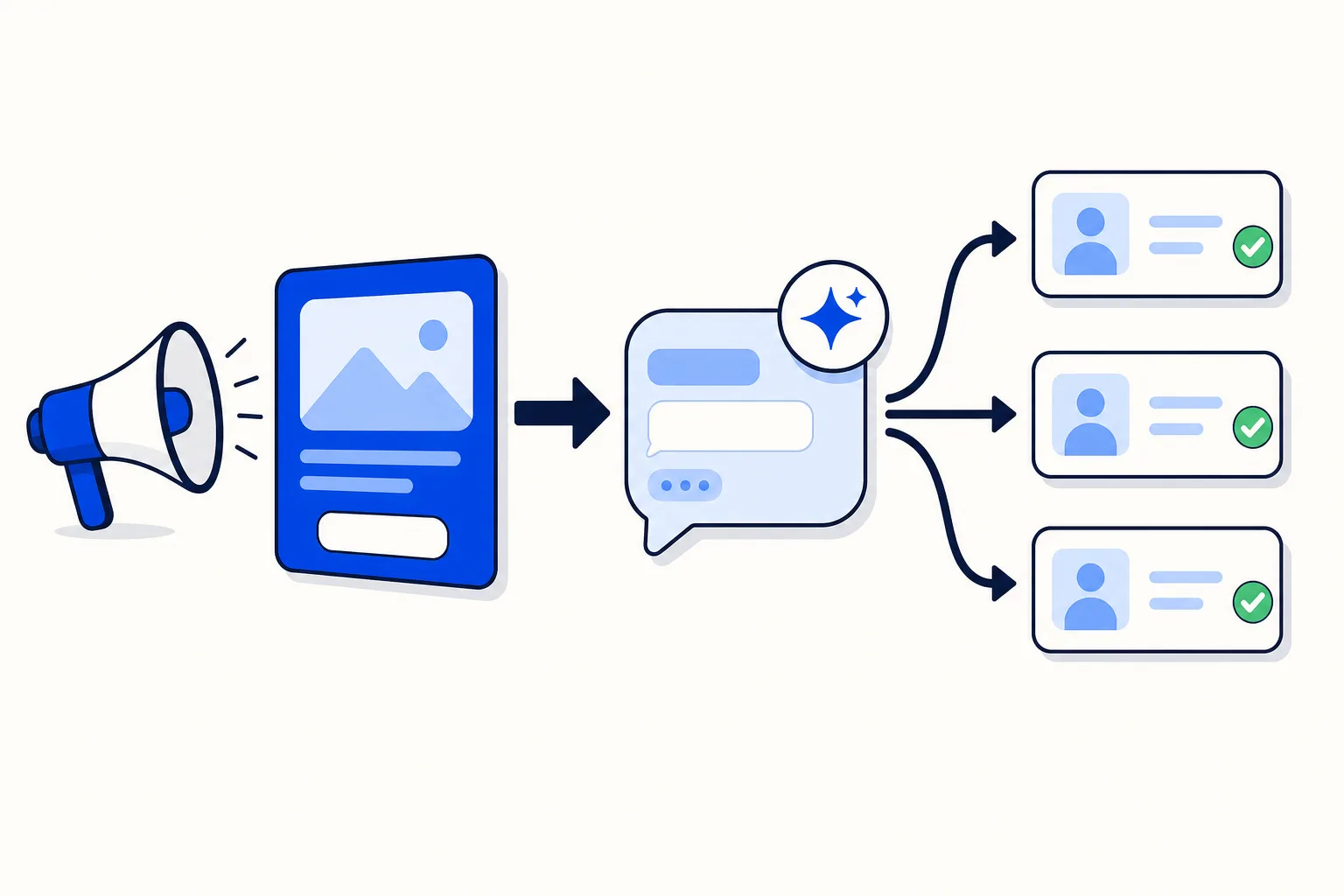
You pay Meta for a click. The person lands in a WhatsApp chat with your business, types "Hi, I saw the ad", and waits. If the reply comes in seconds, you have a conversation. If it comes the next morning, you have a line in a report that says "message sent" and nothing else.
That gap is where click-to-WhatsApp budgets go. This post is for a small business already running Meta ads: what the format is, why the first reply matters more than the creative, how Meta's free entry window changes the maths, and how an AI agent takes the first touch so every paid lead gets answered.
What is a click-to-WhatsApp ad?
A click-to-WhatsApp ad is a Facebook or Instagram ad whose call-to-action button opens a WhatsApp chat with your business number instead of sending the person to a website or a form. You build it in Ads Manager, choose WhatsApp as the destination and connect the number that should receive the chats. Meta's guide, Create ads that click to WhatsApp in Ads Manager, walks through the setup.
Unlike a lead form, the person starts the conversation (no submission to chase, the chat is already open with their number on it) and the ad's context travels with it: you know which offer they saw before they say a word. A strong position for a seller, but only if someone is on the other end when the chat opens.
Why does the first reply decide the ROI?
A lead who taps an ad is hot for minutes, not days. The most-cited evidence is the Lead Response Management study by James Oldroyd, which found that a business replying within 5 minutes is far more likely to make contact and qualify the lead than one replying after 30 minutes.
A click-to-WhatsApp lead is even more time-sensitive than a form lead. They opened a chat, so they expect a reply now, not a call later. And they are still scrolling, so the next ad in the feed may be a competitor's. The first business that answers tends to get the conversation.
Targeting, creative and bid decide how many chats open. The first reply decides how many of them turn into a sale, and it is the variable most small businesses leave to chance.
Where do click-to-WhatsApp campaigns leak money?
The failure mode is simple: ads run 24/7, the person holding the phone does not. A campaign that spends evenly across the week sends a good share of its chats outside business hours, and more while the team is busy with the customers in front of them. The usual symptoms:
Chats opened at night get a reply the next morning, by which time the lead has stopped answering.
The number belongs to one person, so when they are on holiday or on a call, every ad lead waits.
Nobody asks the qualifying questions. The lead says "price?", gets a number, and the thread dies.
Ads Manager reports clicks and conversations started, but nobody can say how many became a sale.
Pausing ads outside business hours fixes the first symptom and halves your reach. An AI agent fixes all four.
What does the AI agent do at the first touch?
An AI agent on your WhatsApp number answers the ad lead in seconds, every day, and does the first few minutes of a salesperson's job:
Greet with the ad's context. "Thanks for your interest in the spring whitening offer" lands better than "Hi, how can I help?".
Answer the lead's first question honestly: price, availability, hours, whether you serve their area. A lead who asks "how much?" and gets a question back feels processed.
Ask the 3–4 qualifying questions, one per message: what they need, when, whether your starting price works, and whether they are the one deciding. The full script, with hot/warm/cold scoring, is in How to qualify leads on WhatsApp with an AI agent.
Book or hand over. A hot lead goes to a salesperson with the chat history and a short summary; a lead who wants an appointment gets a real slot; a cold lead gets the price list and a polite close.
Why are the first 72 hours free?
According to Meta's pricing documentation, when a person messages your business from a click-to-WhatsApp ad (or a Facebook Page call-to-action button) using the WhatsApp app on Android or iOS, a "free entry point" window opens from the moment you reply and stays open for 72 hours. While it is open, you can send any type of message to that person at no charge.
Three consequences for a campaign:
The window starts when you reply, not when the lead writes. Every hour you take to answer is an hour of free window you never use.
72 hours covers the whole first sale cycle: qualifying questions, a quote, a next-day follow-up and a booking confirmation, without a template message.
Ad leads are cheaper to work. Since October 1, 2026, Meta bills free-form replies inside the normal 24-hour window per message after the first 1,000 per phone number each month; a chat opened from an ad is free to work for its first three days.
An AI agent that replies in seconds opens the window at the earliest moment and uses it to qualify while the lead is still paying attention.
How do you measure what the ad spend actually produced?
Ads Manager tells you what a campaign cost and how many chats or form submissions it generated. It does not tell you what happened next, which is the number you run the business on. Two things close that gap:
For Facebook Lead Ads, HellouOne's ad insights join each campaign and ad set's spend from Meta with its own funnel: leads received as contacts, automatic WhatsApp follow-ups sent, and leads who replied. Two ad sets with the same cost per lead can have very different reply rates, and one row shows it. We explain the view in Ad insights that tie Meta ad spend to real conversations.
For leads who filled in a form instead of opening a chat, the automatic WhatsApp first touch sends an approved template moments after the submission, only with consent and only within 24 hours of the form landing. The mechanics are in Automatic WhatsApp first touch for every Facebook lead.
For click-to-WhatsApp chats, apply the same discipline inside the inbox: label conversations by campaign, let the AI agent tag the lead hot, warm or cold, and review weekly how many ad conversations reached a salesperson and how many closed.
What does the setup checklist look like?
Before the campaign goes live, give every item an owner:
The ad's CTA points to a number on the WhatsApp Business API, not the phone in someone's pocket. An AI agent and a team inbox can only answer a number on the API, and you keep the number when you move it.
The AI agent's instructions mention the offer: the promotion, the starting price, the dates, and what to say when the person asks about something the ad does not cover.
The ad's opening message names the offer, so the agent and the salesperson know the source without asking.
A handover rule for hot leads is written down: who receives them, including at night, and how fast they must answer.
CRM sync is on before the first lead arrives, so contact, source and qualification land in the system of record, not only in a chat thread.
One label per campaign, applied automatically, so the weekly review can tell campaigns apart.
How this works in HellouOne
HellouOne is a WhatsApp team inbox with AI agents built in, so the checklist is configuration rather than a project:
The WhatsApp AI agent sits on your number and answers every ad chat in seconds. It is trained on your business information and takes the offer details and the qualifying questions as plain-language instructions.
Handover areas route the conversation from the AI agent to a team by rule: hot leads to Sales, complaints to Support, price negotiation to a person. Assignment rules (round-robin or priority) then pick the salesperson, so no lead waits on one phone holder.
The Facebook Marketing module imports Facebook Lead Ads as labelled, deduplicated contacts, sends the consent-gated first touch per lead form, and shows the ad insights that line up Meta spend with leads, follow-ups and replies. It is available from the Growth plan up and not during the free trial.
Two-way CRM sync with HubSpot, Pipedrive, GoHighLevel and DataCRM keeps contacts, labels and conversations aligned with your pipeline; the full list of connectors is on the integrations page.
Reports by agent, team and conversation show how fast ad leads were answered and who closed them, so the weekly review runs from the inbox, not a spreadsheet.
Plans start at $49/month on Starter (one human agent, 2,000 AI messages), with a 7-day free trial and no card. The sales goal page shows the whole path, from the ad to a booked meeting.
Where should you start this week?
Move the number the ad points to onto the API, and put the AI agent on it before you raise the budget.
Write the offer and the 3–4 qualifying questions into the agent's instructions, and the handover rule for hot leads with a name next to it.
After a week, review: how many ad chats were answered within 5 minutes, how many were tagged hot, and how many of those closed. Move budget toward the ad sets that produce conversations, not clicks.























