Every answer an AI agent sends is something a customer may act on. The Reply check in HellouOne reviews each answer before it is sent and holds the ones that cross a line you set. Here is what it holds, what happens to a held answer and how to switch it on.
This post follows the help center guide to creating and configuring your AI agent, the reference for every label mentioned here. If you are new to the editor, start with the step-by-step guide to setting up an AI agent.
Before you start: your plan and the default setting
The Reply check is covered by the guide together with Smart routing, and it appears under the same condition: your plan must include AI classifications. You can read about them in AI classifications: a small model reads every customer message. If your plan does not include them, you will not see the Reply check in the editor.
There is also a default to know about. The Reply check starts off on every AI agent and has its own setting, next to Smart routing. Hold answers your knowledge base does not back is a separate option that also starts off. Nothing is held until you turn the check on for an AI agent yourself.
What the Reply check holds
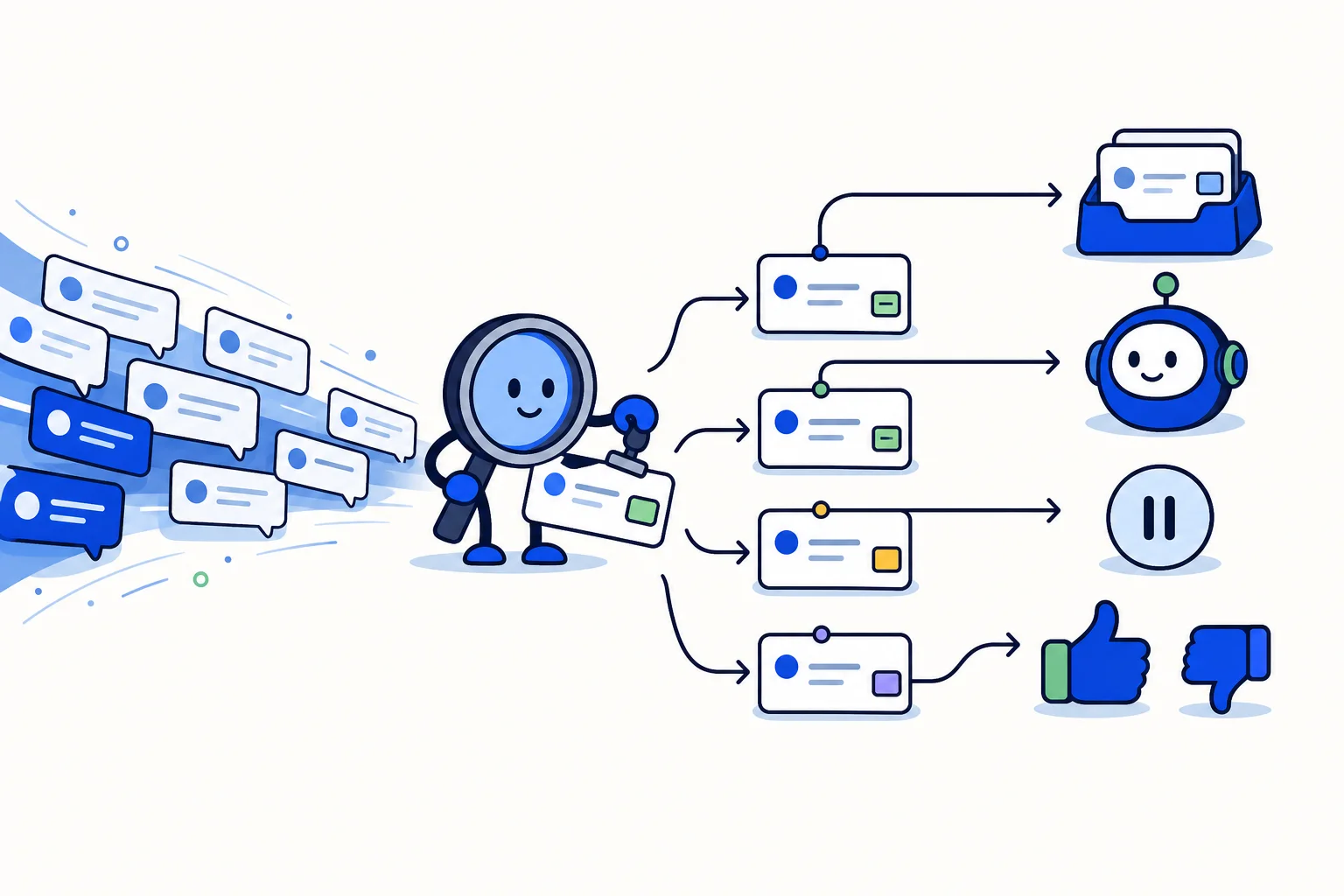
With Check answers before sending set to On, the AI agent checks every answer before sending it. It holds:
Promises you did not allow, such as refunds, discounts or dates.
Requests for passwords, codes, cards or ID photos.
Unsafe advice.
Hold answers your knowledge base does not back
If your knowledge base covers every answer, you can also turn on Hold answers your knowledge base does not back. It comes with a condition: it only works with the Knowledge Mode set to Search the knowledge base, and it only checks answers that searched your knowledge.
To prepare that base, see HellouOne knowledge base: teach your AI agent.
What happens to a held answer
A held answer goes into a private note with the reason. What happens to the conversation then depends on one setting:
If Let the AI agent hand over is on, the conversation passes to a person.
Otherwise, the customer gets the fallback reply.
The fallback reply is one of the details you fine-tune in the Replies & media tab. Because Let the AI agent hand over decides between a person and the fallback reply, it is worth deciding it on purpose before you rely on the Reply check.
Promises the AI agent may make
Not every promise is a problem. In Promises the AI agent may make, list the ones that are fine, for example free shipping over $100. The Reply check holds promises you did not allow, so this list is how you tell it what your business is happy to commit to.
Why this matters for customer trust and safety
A customer who reads a reply from your business usually takes it as your word. If an AI agent promises a refund, a discount or a date that you never approved, your team then has to honor it or walk it back, and either choice costs trust.
Requests for passwords, codes, cards or ID photos are a different kind of risk. Customers are right to be careful with that information, and unsafe advice can hurt them directly. A check before sending puts a pause at the point where your team can still act: the answer waits in a private note, with the reason, instead of reaching the customer. This is general reasoning about why such a check is useful, not a measure of results.
Setting it up: a short checklist
In the Handover & hours tab, where the guide covers it with Smart routing, set Check answers before sending to On.
In Promises the AI agent may make, list the promises that are fine.
If your knowledge base covers every answer, set Mode to Search the knowledge base under Knowledge and turn on Hold answers your knowledge base does not back.
Decide whether Let the AI agent hand over is on, and review the fallback reply in the Replies & media tab.
Save, and check it in a real conversation.
The test chat does not run it
The Test chat in the editor does not run the Reply check, so a held answer will not show up there. Try it in a real conversation. The same goes for Rules and Smart routing. Our post on Rules in the AI agent editor explains what the Test chat does and does not run, and Smart routing has its own post.
How this works in HellouOne
Only administrators create and edit AI agents in HellouOne, and your plan must include them. The Reply check is part of the AI agent editor, so it is set up in the same place as the rest of the AI agent.
LIA can adjust your AI agent for you and shows you each change to approve before it is applied. For example, you can ask LIA to "Make my AI agent shorter and stop offering discounts". The help center guide has the exact labels of the editor.